MacWhisper ranks #2 of 28 AI meeting assistants we tested in 2026, scoring 3.9 out of 5. A fast, private transcriber that has grown toward a lightweight meeting assistant for Apple users, though it still stops short of real collaboration or cross-meeting intelligence. Pricing starts at €65 one-time with a free tier available. Available on Mac, iOS.
MacWhisper Key Facts
Checked against vendor documentation October 14, 2026- How it records
- Bot-free Mac app records system audio and mic with automatic meeting detection; file import; iPhone and iPad app
- Where AI processing runs
- On-device by default; optional cloud transcription and AI with your own API key; local AI via Ollama or LM Studio
- Works offline
- Yes — transcription offline by default; AI summaries offline only if you set up a local model yourself
- Trains on your data
- No — no account, and nothing is sent to the developer by default
- Transcription languages
- 100
- Free plan
- Free forever with smaller Whisper models and unlimited local transcription
- Paid plans from
- €65 (~$72) one-time Pro license; App Store $6.99/mo, $29.99/yr or $99.99 lifetime
- In-person meetings
- Yes — records from the microphone on Mac, iPhone and iPad
- Real-time features
- Pro: live transcription with speaker recognition, live captions and translation; no live AI coaching
- Compliance
- None published; runs locally with no account
Compare every tool on these facts in the AI meeting assistant fact sheet, or see the best MacWhisper alternatives.
Rating Breakdown
Strengths
- + Fully on-device transcription with both Whisper and faster Nvidia Parakeet models
- + Affordable one-time license (no mandatory subscription)
- + Automatic speaker recognition with no manual training
- + Complete offline support
- + Pro integrations with Notion, Obsidian, Zapier, Make, n8n, and webhooks, plus a CLI
Weaknesses
- – Apple ecosystem only (no Windows, Android, or web)
- – Local AI summaries require setting up Ollama or LM Studio yourself; otherwise AI goes to a cloud provider
- – No collaboration and no cross-meeting knowledge
Our Verdict
A fast, private transcriber that has grown toward a lightweight meeting assistant for Apple users, though it still stops short of real collaboration or cross-meeting intelligence.
MacWhisper is the purist’s choice for local transcription. Built by independent developer Jordi Bruin under the Good Snooze label, it turns spoken audio into text directly on your device, with no cloud required. There is no account to create and no server to depend on. You buy the app, download a model, and start transcribing. For users who value simplicity and privacy above all else, MacWhisper delivers what it promises, and over the past year it has quietly grown well beyond a one-trick transcriber.
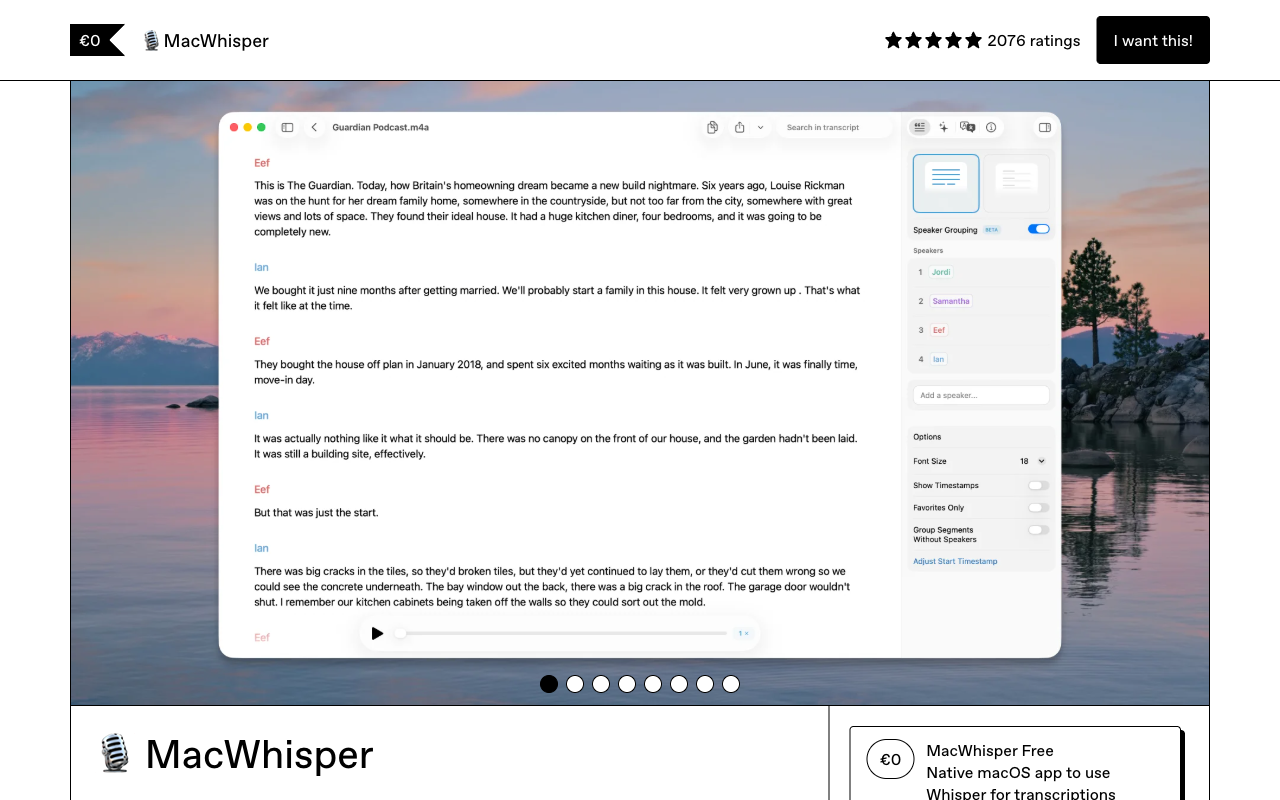
For a long time MacWhisper was synonymous with OpenAI’s Whisper. That changed in mid-2025, when the app added Nvidia’s Parakeet v2 and v3 models, which run locally and are dramatically faster, and often more accurate, than Whisper on Apple Silicon. The speed gains are not marginal: a three-hour podcast that once took real patience now transcribes in well under two minutes on an M2 Pro. Parakeet started English-only with multilingual support following, so Whisper still earns its place for many languages. Qwen3-ASR (on macOS 26 with Apple Silicon) and NVIDIA Nemotron speaker diarization have since joined the lineup. The point is that you now choose an engine rather than accept one. Version 14.0 in July 2026 added an Editor View, speaker reassignment, and bookmarks.
The app also gained automatic speaker recognition that works across both Whisper and Parakeet with no manual training, plus first-class meeting capture. MacWhisper can now detect and record calls on Zoom, Teams, Google Meet, Webex, Skype, Chime, and Discord through system-audio capture, which moves live meetings from an afterthought to an actual use case. It is worth being honest about maturity here: the automatic meeting recording is still labeled beta, carries a possible-data-loss warning, and is absent from the sandboxed Mac App Store build. It works, but it is not yet bulletproof. Pro also adds real-time meeting transcription with speaker recognition, plus live captions with translation from the mic or system audio.
On the AI side, MacWhisper has moved past simple summaries. You can generate summaries, clean up rough transcripts, translate, and chat with a transcript to ask questions about what was said. Where that AI runs is your choice. Bring your own key for OpenAI, Anthropic, Google, xAI, Groq, DeepSeek, OpenRouter, or Azure and the text goes to that provider. Or point MacWhisper at a local model running in Ollama or LM Studio, which you install and configure yourself, and nothing leaves the Mac. Apple Intelligence and Shortcuts are supported too, and the App Store version offers an optional first-party cloud “Assistant” subscription for people who would rather not manage any of this.
Key Features
MacWhisper runs transcription on-device by default, with a choice between OpenAI Whisper models (tiny through large), the newer Nvidia Parakeet models for speed, and Qwen3-ASR; optional cloud transcription through OpenAI, ElevenLabs, Deepgram, Groq, or Gladia is there if you want it. Automatic speaker recognition separates voices without setup. The app transcribes audio files, microphone input, and system audio, and it can automatically detect and record meetings on the major conferencing platforms. AI summaries, cleanup, translation, and an ask-anything transcript chat are available via a local model, your own API key, or an optional cloud Assistant. Pro also adds integrations with Notion, Obsidian, Zapier, Make, n8n, and custom webhooks, watch folders, and (since April 2026) a CLI for connecting scripts and AI agents. Transcripts edit alongside linked audio playback and export to text, SRT subtitles, JSON, and more. Batch processing handles many files at once, and everything works offline once models are downloaded, including AI if you run a local model. A standalone iPhone and iPad app, “Whisper Transcription,” brings local transcription to mobile, including a share-extension flow for Voice Memos, WhatsApp, and iMessage audio.
Pricing
There are two ways to buy MacWhisper, and they price differently. Through the direct Gumroad download you get a free tier with the smaller local models and unlimited on-device transcription, then a one-time Pro license at €65 (roughly $72), with 5-license and 10-license packs at €269 and €490. That one-time price is up considerably from the ~$30 it cost a couple of years ago.
The Mac App Store and the iOS app price Pro as a subscription or lifetime unlock instead: $6.99/mo, $29.99/yr, or $99.99 lifetime. The optional cloud “Assistant” add-on runs about $9.99/mo (with weekly and annual options). Students, journalists, and nonprofits get 25% off, and bulk and MDM licensing exists for teams. There is no per-minute metering anywhere. Whichever path you pick, MacWhisper remains one of the more cost-effective transcription tools available, especially if a one-time license suits you better than a recurring bill.
Privacy & Security
For transcription and recording, MacWhisper has about the strongest privacy posture you can ask for: by default everything happens on your device, with no cloud servers and no accounts. Unless you opt into a cloud transcription provider, your audio and transcripts never leave your Mac or iPhone. For anyone handling sensitive material, such as legal proceedings, medical consultations, or confidential interviews, that is privacy through architecture rather than policy promises. The caveat is the AI layer. Summaries, translation, transcript cleanup, and transcript chat send text to a cloud model if you use your own API key or the first-party Assistant subscription. They can stay local only if you set up Ollama or LM Studio with a local model yourself, which takes some technical comfort. If you stay on plain transcription or a local model, nothing leaves the device.
Best For
MacWhisper is ideal for Apple users who need accurate, private transcription and are happy to add light AI analysis on their own terms. Journalists, researchers, legal professionals, and anyone who regularly works through recorded audio will get a lot from it, and the Parakeet models make long-form transcription genuinely fast. The system-audio capture and automatic meeting detection make it usable for recording calls on any major platform, with the beta caveat noted above, and the iPhone and iPad app extends transcription to mobile. Pro users can push transcripts into Notion, Obsidian, or automation tools like Zapier, Make, and n8n. It is not the right tool if you need real-time AI guidance during the call, team collaboration, calendar or CRM integrations, or any Windows and Android support.
How MacWhisper Compares to Hedy
MacWhisper and Hedy start from the same instinct: keep audio on the device. Both transcribe locally, both work offline, and MacWhisper’s privacy posture for capture is excellent. The two diverge in what happens after the words are on screen. MacWhisper’s AI, the summaries and the transcript chat, runs in the cloud through your API key or its Assistant subscription unless you set up Ollama or LM Studio and a local model yourself. Hedy builds the local option in: on supported hardware, transcription, summaries, and real-time coaching can all run on-device with no extra setup, and with no meeting bot joining the call.
The other gap is scope. MacWhisper records and transcribes meetings, and it can now answer questions about a single transcript. Hedy is built as a meeting assistant from the ground up, with live coaching during the conversation, structured summaries and action items, configurable session types, and knowledge that connects across meetings rather than sitting in isolated files. Hedy also runs on Mac, Windows, iOS, Android, and the web, while MacWhisper stays inside the Apple ecosystem on Mac, iPhone, and iPad. If you mainly need fast, private text from audio and the occasional summary, MacWhisper is an excellent and affordable choice. If you want the meeting itself to be coached, analyzed, and remembered, with on-device AI built in rather than bolted on, Hedy is doing a different and larger job.