Tactiq ranks #27 of 28 AI meeting assistants we tested in 2026, scoring 3.3 out of 5. A lightweight, affordable transcription extension for browser-based meetings, now with a beta Mac app, that has grown an automation layer, though serious AI usage now lives behind its higher tiers. Pricing starts at $12/mo with a free tier available. Available on Chrome, Edge, Mac.
Tactiq Key Facts
Checked against vendor documentation October 14, 2026- How it records
- Chrome and Edge extension reads the platform's captions; bot-free Mac app (beta) captures system audio for desktop calls
- Where AI processing runs
- Cloud: AI summaries and storage run on Tactiq's servers
- Works offline
- No — needs an internet connection
- Trains on your data
- Not stated by the vendor
- Transcription languages
- 60+
- Free plan
- 10 transcripts and 5 AI credits a month
- Paid plans from
- $8/user/mo billed annually ($12 monthly)
- In-person meetings
- No
- Real-time features
- Live transcript in a side panel, plus in-meeting AI
- Compliance
- SOC 2 Type II; GDPR; ISO 27001; says HIPAA compliant (no BAA mentioned); DPA on Enterprise; SAML on Business+
Compare every tool on these facts in the AI meeting assistant fact sheet, or see the best Tactiq alternatives.
Rating Breakdown
Strengths
- + No bot: a light Chrome or Edge extension, plus a new Mac app (beta) for desktop calls
- + Good real-time transcription captured live in a side panel
- + Free plan now includes AI summaries, Ask Tactiq, and action items
- + AI Workflow Builder routes meeting insights to Slack, HubSpot, Linear, and more
Weaknesses
- – No Windows app, no mobile app, and the Mac app is still in beta
- – Pro plan caps AI usage at 10 credits/month; unlimited AI needs Team
- – No offline capability
- – The browser extension depends on platform-generated captions rather than its own audio engine
Our Verdict
A lightweight, affordable transcription extension for browser-based meetings, now with a beta Mac app, that has grown an automation layer, though serious AI usage now lives behind its higher tiers.
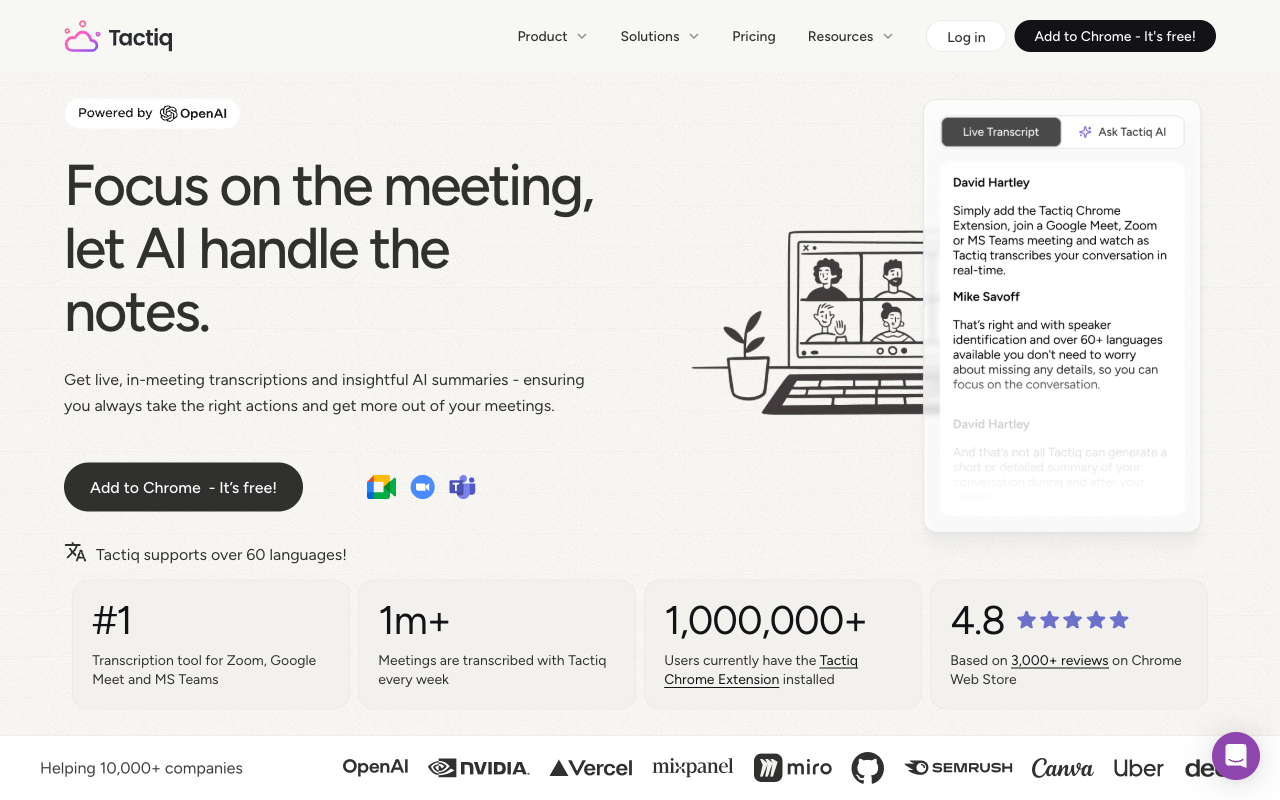
Tactiq keeps things simple. It is a Chrome extension that captures real-time transcriptions from Google Meet, Zoom, and Microsoft Teams meetings directly in your browser. There is no bot joining your call and no complex setup process. You install the extension, join a meeting, and Tactiq starts capturing the transcript in a side panel. For users who want lightweight meeting transcription without committing to a full-featured platform, Tactiq delivers exactly that. It is no longer Chrome-only: there is a Microsoft Edge add-on, and in August 2026 Tactiq released a macOS app in beta that records the Zoom desktop client, Teams desktop, and Slack huddles by capturing audio through macOS instead of joining as a participant, then uploads the recording after the call. There is still no Windows app and no mobile app.
The browser extension works from the existing closed captions in Google Meet, Zoom, and Teams, which means it captures the captions generated by the platform rather than processing audio independently. The trade-off is real: transcription quality depends on the underlying platform’s caption engine, but in exchange no additional audio processing happens and no bot is needed. After the meeting, Tactiq uses AI to generate summaries, extract action items, and let you ask questions about what was said through its Ask Tactiq feature.
What has shifted over the past year is positioning. Tactiq has been repositioning itself from a straightforward “AI note taker” toward “AI workflows for your team meetings,” leaning on automation and agents rather than transcription alone. That is the lens to read the current product through: the core extension still does what it always did, but a workflow layer now sits on top of it for teams willing to pay for the higher tiers.
Key Features
Tactiq captures real-time transcriptions directly within Chrome or Edge during Google Meet, Zoom, and Microsoft Teams meetings, displaying a live transcript in a side panel as the call runs. After the meeting, AI generates summaries, action items, and key highlights, and Ask Tactiq lets you query the conversation in natural language. You can search across past transcripts and export notes to Google Docs, Notion, and other tools. Custom AI prompts let you tailor the summary format, and you can save and share specific transcript segments.
The bigger recent addition is the AI Workflow Builder with AI Agents. Instead of copying action items by hand, you can have Tactiq automatically route structured meeting insights to Slack, HubSpot, Linear, Pipedrive, Google Drive, and email after a call ends. This is the centerpiece of the team-focused repositioning, and Tactiq’s pricing table shows it across plans, though the AI-credit limits on Free and Pro cap how far you can lean on it.
Tactiq is also building toward interoperability with external AI tools. It offers a Tactiq MCP (Model Context Protocol) server in beta on the Business plan, which lets tools like Claude or Zapier query Tactiq meeting data, and a Tactiq Claude Connector is listed as a beta Business-plan feature for working with transcripts from inside an AI conversation. Both are early-stage: the MCP and connector functionality is beta, and Tactiq’s own guidance still points users toward copy-paste or Google Drive as practical ways to get transcripts into Claude today. Treat these as directional rather than finished.
Pricing
Tactiq now runs five tiers rather than three. The Free plan ($0) includes 10 meeting transcripts and 5 AI credits per month, and notably it now carries the AI summaries, Ask Tactiq, action items, upload, and sharing features that used to feel paid. The Pro plan is $12 per user per month, or $8 billed annually (around $96 a year). Pro removes the transcript cap entirely — unlimited transcripts — but, importantly, it still includes only 10 AI credits per month. If you run a lot of AI summaries or queries, that ceiling matters.
Unlimited AI credits start one tier up, on the Team plan at $20 per user per month ($16.67 annually) for 1 to 20 users. The Business plan at $40 per user per month ($29.17 annually) covers 20 to 200 users and adds SAML SSO, advanced data retention, a customer success manager, and the beta Tactiq MCP server and Claude Connector. Enterprise is custom-priced for 200-plus users and adds a Data Processing Agreement, customizable SAML SSO, and a dedicated account manager.
The headline $12 entry price is still competitive for a lightweight extension, but the value calculus has changed: the cheap tier no longer means cheap AI. Heavy individual users effectively need the $20 Team plan to escape the 10-credit cap, and SSO no longer arrives until the $40 Business tier.
Privacy & Security
Tactiq’s browser extension has a somewhat unusual privacy model: it captures platform-generated captions rather than processing raw audio. In that mode Tactiq is not receiving your actual meeting audio; it is working with text that Google, Zoom, or Microsoft has already produced. The captions and AI-generated content are then processed through Tactiq’s cloud services. While this is arguably less invasive than tools that capture and upload raw audio, the meeting content still passes through third-party infrastructure, and transcript data is stored on Tactiq’s servers. Anyone handling sensitive conversations should weigh that. The new Mac app is different: it captures system audio and uploads the recording after the call, so audio does reach Tactiq in that case.
On compliance, Tactiq’s pricing table lists SOC 2 Type II attestation, GDPR, ISO 27001 certification, and “HIPAA compliant” on every tier. It does not mention a BAA, so regulated healthcare teams should ask before relying on it. Advanced data retention controls and SAML SSO start at the Business plan, with a Data Processing Agreement at the Enterprise level. Tactiq does not publish a statement on whether customer data is used for model training.
Best For
Tactiq is best for individuals who want quick, lightweight meeting transcription without managing another app — students capturing lecture notes, freelancers documenting client calls, and individual contributors who just want searchable meeting notes. The free plan goes a long way now that summaries and Ask Tactiq are included, though the 10-transcript monthly cap is the natural reason to upgrade.
For teams, the calculation is different than it was. The Team plan unlocks unlimited AI credits, which is where Tactiq becomes useful as a routing layer between meetings and tools like Slack, HubSpot, and Linear. It still is not the right fit for anyone on Windows desktop apps, anyone who needs to work offline, or anyone who wants to transcribe in-person conversations.
How Tactiq Compares to Hedy
Tactiq is the lightest-weight option in this roundup, and for users who genuinely only need browser-based transcription, that simplicity is a feature. It also does more than it once did: with the AI Workflow Builder and AI Agents, Tactiq can auto-route meeting insights into Slack, HubSpot, Linear, and Pipedrive, and it is experimenting with MCP and a Claude connector. So the old “basic summaries only” framing no longer holds — though heavy automation needs the unlimited AI credits of the Team tier, MCP sits on Business, and parts of both are still in beta.
The structural differences with Hedy remain. Tactiq lives mainly in the browser, where it depends on the meeting platform’s caption engine, with a beta Mac app as its only desktop option; Hedy runs its own on-device AI across Mac, Windows, iOS, Android, and web, with transcription, summaries, and real-time coaching all processed locally rather than in the cloud. Neither tool uses a meeting bot, so on capture method they are closer than this comparison once implied — but Tactiq still cannot capture in-person meetings or phone calls, and it has no offline capability, while Hedy handles any audio source and works fully offline. Tactiq’s automation strength is post-meeting routing into other tools; Hedy’s is keeping the entire pipeline private and on-device, with knowledge connections across sessions and configurable session types. For quick, browser-bound transcription with a team automation layer, Tactiq is a reasonable pick. For meeting assistance that runs anywhere and keeps data on your machine, Hedy is built for a different job.